Code Kids is offering extended childcare to parents who have booked coding and robotics camps at Canterbury. You can book either AM or PM care. The children will be asked to read or play quiet board games. Depending on weather, there will also be an opportunity to play outside.
Wrap Around Care – Summer Holiday Camp (27th July – 31st July 2026) Timetable:
Location
Date
AM
PM
Canterbury Camp
27th July – 31st July 2026
9.00 AM - 10.00 AM
3.00 PM - 4.00 PM
Extended care must be booked in advance with morning, afternoon or combined options available.
Note: Please complete for each child separately. Add Code Kids Order number & child name in notes.
This Python-based course is designed for confident coders aged 12 or over, looking to apply their programming knowledge to data science and machine learning.
Students will be introduced to Interactive Python Notebooks, a tool used by professionals to write and present their code.
We will then look at the “Pandas” library, a useful tool that allows us easily to describe and manipulate large amounts of data. Throughout the course, we will be examining real life data sets, including modelling the recent COVID-19 pandemic!
We will then learn how to visualise our data by plotting graphs and spotting trends in the dataset. We’ll cover more useful libraries to add to our Data Science arsenal.
Finally, we will get a brief introduction to machine learning, the process of letting a computer recognise patterns and make predictions. In our case, this means recognising images that we give to it!
Learn Python syntax (structure)
Learn to use Interactive Python Notebooks
Learn to use the “Pandas” library tool
Describe and manipulate large real-life datasets
Visualise your data by plotting graphs
Spot trends in your dataset
Explore additional libraries for mathematical modelling
Get introduced to machine learning to help a computer recognise patterns and make predictions
Roblox Coding
This course is designed for late primary to secondary aged students who are looking to learn to code using a proper “grown-up” programming language.
Learn to code using your favourite gaming platform and develop fun Roblox games. Our Lua based code editor is particularly suitable for this age group because it is really easy to use and can be built up to more text-heavy coding once you get comfortable with the basics.
This camp is a great introduction to both fundamental programming concepts and the Lua programming language. Lua is widely used as a scripting language by game developers across the world.
By the end of the course, the students will be comfortable programming and creating Roblox games and will have published at least one game on to Roblox, which could end up helping them make lots of Robux!
Design a Roblox game
Learn Lua syntax and use it to script your game
Use loops and conditionals (IF/THEN/ELSE)
Understand variables (number, Boolean, string)
Create and use functions
Use all of the above to make a super cool game
Scratch Coding
Create your interactive game or experience with Scratch! Learn about user interaction design, Scratch programming, and all about how to make your project come alive with code. By the end of this course you’ll have created your own unique user interaction experience with both a physical invention and a programmed Scratch game.
Programme your own interactive stories, games, and animations
Share your creations with others in the online community
Think creatively, reason systematically, and work collaboratively
Learn about programming concepts such as loops, conditionals, IF/THEN/ELSE statements
Makers Camp with Makey Makey
Create your interactive game or experience with Scratch and the Makey Makey! Learn about user interaction design, Scratch programming, and all about the Makey Makey. By the end of this course you’ll have created your own unique user interaction experience with both a physical invention and a programmed Scratch game.
Use the new Scratch Makey Makey extension
Learn about new block that allows you to make secret codes and gesture controls for your Scratch games
Bring your virtual game into the real world with Makey Makey
Learn about programming concepts such as loops, conditionals, IF/THEN/ELSE statements
Lego Robotics and Engineering
Children use the Lego WeDo 2.0 and Lego Mindstorms EV3 to design robots to solve real world problems. They learn to code their robots in interactive challenges. In addition to the basics of robotics, children learn key engineering principles such as force and motion, gear ratios and aerodynamics.
Solve a real world ‘big problem’ such as pollution, animal welfare, dinosaur habitats
Apply engineering concepts such as gear ratios, aerodynamics, motions
Explore visual programming with the WeDo 2.0 and EV3 software
Build robots that use motors
Program and utilize different sensors
Develop structural design skills
Virtual Reality Coding
Content creation and coding for a highly interactive virtual reality 3-D world. Learn to build interactions with block-based coding or advanced scripting.
Our students use computer aided design (CAD) to create their 3-D worlds. They then use visual block-based and intuitive programming language to code interactions between the various elements of their virtual reality world and the end user of their product.
More advanced coders can have:
fun coding scripts to add interactions through JavaScript
Use code to experiment with physics!
Create simulations of physical phenomena and visualize abstract scientific concepts in 3D or in VR.
WHAT YOU WILL LEARN
Coding – Learn to code in a virtual world in the palm of your hand
Logic – Give your 3D creations behaviour, animation, movement
Test and Debug – using logic and systematic reasoning Play – Interact with a virtual world entirely created by you Discover – The art of computer aided design (CAD)
Lego Robotics WeDo 2.0
Our students use Lego WeDo 2.0 to design and build robots to solve real world problems. They learn to code their robots in interactive challenges. In addition to the basics of robotics, they learn key engineering principles such as force and motion, gear ratios and aerodynamics.
Solve a real world ‘big problem’ such as pollution, animal welfare, dinosaur habitats
Apply engineering concepts such as gear ratios, aerodynamics, motions
Explore visual programming with the WeDo 2.0 and EV3 software
Build robots that use motors
Program and utilize different sensors
Develop structural design skills
Lego Robotics with EV3
Use Lego Mindstorms EV3 to design robots to solve real world problems. Learn to programme your robots to compete in interactive challenges. You can code using blocks or Python. In addition to the basics of robotics, children learn key engineering principles such as force and motion, gear ratios and aerodynamics.
Solve a real world ‘big problem’ such as pollution, animal welfare, dinosaur habitats
Apply engineering concepts such as gear ratios, aerodynamics, motions
Explore visual programming with EV3 software
Build robots that use motors and sensors
Program and utilize different sensors
Develop structural design skills
Build – Use Lego to build smart robots
Code – Bring your robot to life using code
Play – Let your robot interact with the world around them.
Discover – Expand your capabilities by discovering new programming concepts
Game Design and Design Thinking
Make games rather than play them using your own ideas! Become game developers for a day using a physical and virtual platform for creating video games in the classroom. When students build games, they become the writers, artists, designers, and developers of their own interactive stories.
It all starts with an idea. We provide resources that encourage collaboration while guiding students through a design thinking process. Students create their own 13-bit layouts, characters, and art for their game.
turn your physical creations into digital game elements
edit and customize everything from characters to settings
develop interactions and behaviour between characters
tell rich, dynamic narratives through your games
publish them so others can play them too
Augmented Reality Coding with Merge Cube
Hold a Merge Cube, and use design and coding principles to turn it into any virtual object you wish. Content creation for the best piece of tech we’ve seen in recent times.
Workshop participants use the MERGE Cube and turn it into a hologram that they can hold in their own hands! Participants learn design principles through the use of computer aided design (CAD) tools. They then learnt to code the merge cube to interact with an end user.
Use visual block-based and intuitive programming language to code
More advanced coders can have fun coding scripts to add interactions through JavaScript
Use code to experiment with physics! Create simulations of physical phenomena and visualize abstract scientific concepts in 3D or in VR.
AI and Coding with Cozmo
Learn to code with the cleverest little robot out there. Create games, solve challenges, and learn about artificial intelligence, programming, and robotics through lots of fun activities.
You can program Cozmo to do things like blink, drive, turn to avoid an obstacle, recognize faces, and other actions that require sophisticated AI.
The programming features in Code Lab include if statements, math operators, variables, function calls, and more. Constructor Mode closely mirrors the way text-based code is structured.
More advanced campers use Python coding to access Cozmo’s SDK mode to code Cozmo’s facial and spacial recognition capabilities and path mapping.
Coding with Minecraft
Learn how to code in Java with Minecraft in a highly interactive learning environment!
The participant can use a drag & drop interface which is highly intuitive, but the blocks also show the actual java code too. Coding concepts like variables, if/then/else statements and constructors will be learnt. More advanced participants can switch any time from block-based drag-and-drop code to Javascript.
The children can play with their creations and show their friends at the end of the session on a secure server that only the course participants on the day will have access to:
Code in Minecraft using a Java editor
Increase complexity with Conditions and Variables
Learn about Boolean and Loops
Test and debug using logic and systematic reasoning
Connect your world and Play in Minecraft
Coding with Sphero
See your code come alive with Sphero, a powerful robot designed to inspire curiosity and creativity. Our challenges help participants grasp coding concepts in the most fun way ever!
Course participants learn about robotics and the fundamentals of programming. They use a drag and drop interface to create their code, but as they progress through the levels, they are able to use JavaScript, which is text based. The robot doesn’t just teach them programming concepts, it also enables us to teach your child:
Science and Maths concepts, such as distance, time, speed calculations
Programming concepts like conditionals (IF/THEN/ELSE), Loops, Variables, Lists, etc.
An understanding of the sensors embedded in the Sphero (gyroscope, accelerometer, etc.)
The possibilities and limitations of the robot
Text based languages as they progress through the code
Lots of opportunities to collaborate and brainstorm in the classroom as fun challenges are explored and shared.
Stop Motion Animation
In this course, children learn to create their own stories through Wallace & Grommitt type clay figures and Lego city models. They will learn to create story boards before shooting their own movie complete with audio and special effects animations. The children will be encouraged to work in teams to bounce off ideas and become excellent story tellers. In our animation workshops, children:
Create story boards and narratives
Plan and create characters
Edit video and audio tracks
Use professional equipment and software for capture and editing
Produce videos and animations for YouTube
Develop a range of soft skills including presenting, planning, designing and post-production editing
Robolox Coding
This course is designed for late primary to secondary aged students who are looking to learn to code using a proper “grown-up” programming language.
Learn to code using your favourite gaming platform and develop fun Roblox games. Our Lua based code editor is particularly suitable for this age group because it is really easy to use and can be built up to more text-heavy coding once you get comfortable with the basics.
This camp is a great introduction to both fundamental programming concepts and the Lua programming language. Lua is widely used as a scripting language by game developers across the world.
By the end of the course, the students will be comfortable programming and creating Roblox games and will have published at least one game on to Roblox, which could end up helping them make lots of Robux!
Design a Roblox game
Learn Lua syntax and use it to script your game
Use loops and conditionals (IF/THEN/ELSE)
Understand variables (number, Boolean, string)
Create and use functions
Use all of the above to make a super cool game
Python Coding
This course is designed for late primary to secondary aged students who are looking to learn to code using a proper “grown-up” programming language.
Learn to code in Python and develop fun games. Python is particularly suitable for this age group because it is concise and easy to read and has multiple applications in the real world (web development, app development and other scientific uses such as data science).
This camp is a great introduction to both fundamental programming concepts and the Python programming language. By the end, the students will be comfortable programming in Python and taking their newly acquired programming skills home.
Learn Python syntax (structure)
Use loops and conditionals (IF/THEN/ELSE)
Understand variables (number, Boolean, string)
Create and use functions
Use all of the above to make a super cool game
Mobile App Development
More than ever, people are engaging with technology through their phones, whether it’s online shopping, reading the news, or communicating with friends and family.
A study conducted in 2019 by the the World Advertising Research Center (WARC) suggests that almost three quarters (72.6 percent) of internet users will access the web solely via their smartphones by 2025, equivalent to nearly 3.7 billion people.
This course allows you to create mobile apps for both Android and iOS. You can programme powerful functionality into your design and upload your amazing creations to the Google Play Store and Apple’s App Store.
Learn to design your user interface (UI) to be engaging, functional and proactive with regards to your user’s needs. Code the interactions within your user interface for a seamless user experience.
Our block based code editor is particularly suitable for this application because it is really easy to use and can be built up to more text-heavy coding once you get comfortable with the basics.
This camp is a great introduction to both fundamental programming concepts and design thinking.
By the end of the course, the students will be comfortable programming and creating content for mobile applications and will have published at least one app on to Google Play Store or Apple’s App Store.
Understand your user’s needs
Design your user interface (UI)
Code interactions within your app
Upload your app onto Google Play Store or App Store
Additional information
Location
Canterbury Camp
Date
All 5 days, Monday – 27th July 2026, Tuesday – 28th July 2026, Wednesday – 29th July 2026, Thursday – 30th July 2026, Friday – 31st July 2026
Time
9.00 AM – 10.00 AM, 3.00 PM – 4.00 PM
Reviews
There are no reviews yet.
Be the first to review “Wrap Around Care – Summer Holiday Camp (27th July – 31st July 2026)” Cancel reply


 Children use the Lego WeDo 2.0 and Lego Mindstorms EV3 to design robots to solve real world problems. They learn to code their robots in interactive challenges. In addition to the basics of robotics, children learn key engineering principles such as force and motion, gear ratios and aerodynamics.

 Make games rather than play them using your own ideas! Become game developers for a day using a physical and virtual platform for creating video games in the classroom. When students build games, they become the writers, artists, designers, and developers of their own interactive stories.

 Learn how to code in Java with Minecraft in a highly interactive learning environment!
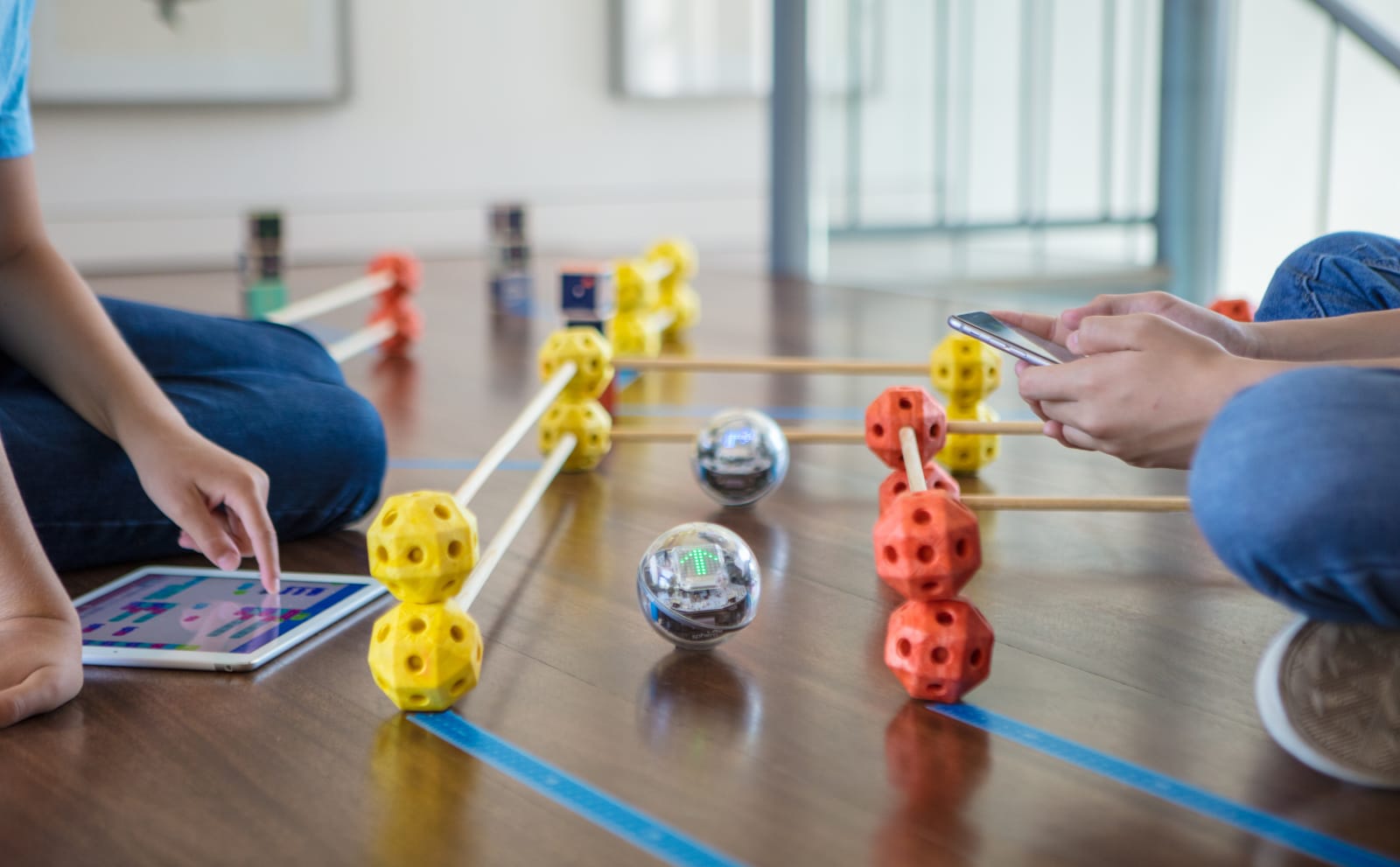 See your code come alive with Sphero, a powerful robot designed to inspire curiosity and creativity. Our challenges help participants grasp coding concepts in the most fun way ever!
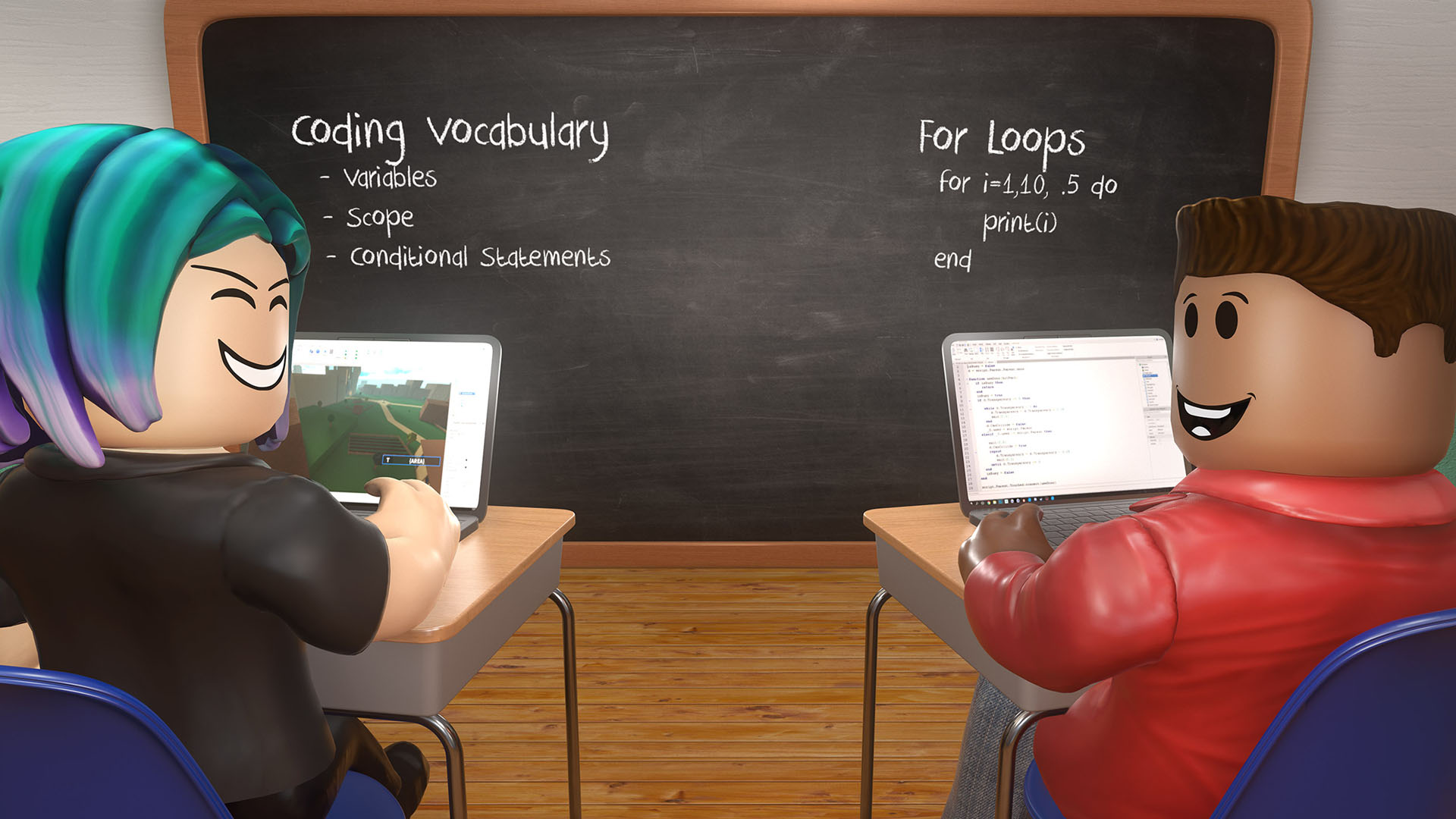 This course is designed for late primary to secondary aged students who are looking to learn to code using a proper “grown-up” programming language.



Reviews
There are no reviews yet.